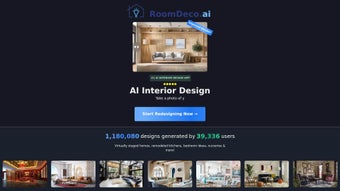

Download RoomDeco – AI‑Powered Interior Design Software, Virtual Staging Tool & Free Design App
Overview
RoomDeco is a cloud‑based, subscription‑driven interior design platform that harnesses the power of artificial intelligence to turn hand‑drawn sketches, floor plans, or simple room photos into photorealistic, marketing‑ready renderings. The service is aimed at a wide audience that includes homeowners looking to visualize a remodel, real‑estate agents who need quick virtual staging for listings, and professional designers who want to accelerate concept development. By leveraging deep‑learning models trained on millions of interior photographs, RoomDeco can suggest furniture arrangements, lighting schemes, and material palettes that match a chosen design style within seconds.
The platform offers a rich library of pre‑defined styles—mid‑century modern, industrial, Scandinavian, rustic, and many more—while also allowing users to create custom style profiles for brand consistency. One of the most compelling aspects of RoomDeco is its accessibility. Because all rendering takes place on secure, encrypted servers, there is no need for powerful graphics cards or expensive desktop software.
Users simply log into a modern web browser, upload or draw their layout, select a style, and watch the AI generate multiple design options. The system also provides a Chrome extension that enables on‑the‑fly redesign of any image found online, making it an ideal tool for agents who need to restage a property while browsing listings. Continuous updates ensure that the AI models stay current with design trends, material libraries expand regularly, and security patches keep data safe.
In short, RoomDeco delivers high‑quality interior visualizations to anyone with an internet connection, removing traditional barriers such as cost, hardware requirements, and steep learning curves.
Key Features & How It Works
- AI Sketch‑to‑Render Engine: Convert hand‑drawn floor plans or rough sketches into fully rendered, photorealistic images in under a minute.
- Style Library: Over 30 pre‑defined interior styles and themes, from minimalist to luxury, plus custom style creation.
- Color & Material Customizer: Fine‑tune wall colors, flooring textures, furniture fabrics, and lighting presets with real‑time preview.
- Multiple Image Generation: Produce up to 5 variations per project, allowing side‑by‑side comparison of design concepts.
- Quality Adjustment Slider: Choose between “Fast Preview” for quick ideas and “High‑Resolution Export” for marketing‑grade visuals.
- Custom Watermark & Branding: Add your logo or a personalized watermark to protect your work and reinforce brand identity.
- Chrome Extension: Right‑click any image on the web, select “Redesign with RoomDeco,” and instantly generate a new interior concept.
- Collaboration Hub: Share projects with clients or team members via secure links, with comment threads and version history.
- Secure Cloud Processing: All AI computations happen on encrypted servers, ensuring your data remains private.
- Regular Updates & Support: Monthly AI model upgrades, new material packs, and 24/7 email chat support.
How It Works – Step‑by‑Step
The workflow is deliberately streamlined to keep the user focused on creativity rather than technical details. First, you log in and either upload a scanned sketch, draw directly on a blank canvas, or import a photo of an empty room. The AI instantly analyses lines, detects walls, windows, and doors, and proposes a baseline layout that respects architectural constraints.
Next, you select a design style from the extensive library; the system automatically populates the space with furniture, lighting fixtures, and décor items that align with the chosen aesthetic. At this stage, you can drag‑and‑drop individual pieces, swap out color palettes using an intuitive color picker, and experiment with material finishes such as matte wood, glossy tile, or brushed metal. Once the visual composition meets your expectations, you hit the “Generate” button.
Behind the scenes, a cloud‑based neural network renders a high‑resolution image, applying realistic lighting, shadows, and texture details. The final output is available for immediate download in PNG or JPG formats, or as a layered PSD file for further refinement in Photoshop. For users who need quick iterations, the “Fast Preview” mode delivers lower‑resolution drafts within seconds, while the “High‑Resolution Export” mode produces print‑ready files up to 4K resolution.
The Chrome extension mirrors this process, allowing designers to restage any image they encounter online without leaving their browser—a feature that dramatically speeds up the workflow for real‑estate professionals.
Installation, Usage & Compatibility
Getting Started – No Download Required
Because RoomDeco is a fully cloud‑based service, there is no traditional software installer to manage. Users simply navigate to roomdeco.ai, create a free‑trial account, and begin designing within seconds. The platform is optimized for the latest versions of Chrome, Firefox, Edge, and Safari, guaranteeing smooth performance on both Windows and macOS desktops. All rendering, storage, and AI processing happen on remote servers, which means the local machine only needs a stable internet connection and a modern browser.
Chrome Extension Installation
- Open the Chrome Web Store and search for “RoomDeco AI Designer.”
- Click “Add to Chrome” and confirm the permissions request.
- After installation, an icon appears next to the address bar.
- Right‑click any image online, select “Redesign with RoomDeco,” and the web app opens with the image pre‑loaded.
System Requirements & Operating Systems
RoomDeco works on any device with a modern web browser, including Windows 10/11, macOS Catalina or later, Chrome OS, as well as iOS and Android tablets via the mobile browser. Because all heavy computation occurs in the cloud, the tool imposes minimal CPU, GPU, or RAM demands, making it suitable for older laptops, Chromebooks, and even low‑end tablets. The Chrome extension is currently limited to Chrome on desktop and Android, while iOS users enjoy full functionality through Safari or Chrome without the extension.
Usage Tips for Best Results
- Use clear, legible sketches: Straight lines and well‑defined room boundaries help the AI interpret spaces accurately.
- Start with a style template: This gives the AI a strong visual baseline, reducing the need for extensive manual adjustments.
- Leverage the quality slider: Choose “Fast Preview” for early brainstorming, then switch to “High‑Resolution Export” before final delivery.
- Utilize the collaboration link: Share a secure URL with clients; they can view and comment without needing an account.
- Keep your account secure: Enable two‑factor authentication and regularly update your password to protect your design assets.
Pros, Cons, FAQ & Conclusion
Pros & Cons
- Pros
- Lightning‑fast AI rendering—seconds instead of hours.
- No heavy hardware requirements; works on any modern browser.
- Extensive style library and material options for diverse projects.
- Chrome extension enables on‑the‑fly redesigns directly from the web.
- Secure cloud processing with regular updates and encryption.
- Collaboration features simplify client feedback and version control.
- Cons
- Subscription‑only model—no perpetual license for offline use.
- Internet connection is mandatory; no offline mode.
- High‑resolution exports count against a monthly render quota.
- Advanced customizations may still require a professional designer for final polish.
- Direct 3D model export (OBJ, FBX) is not currently supported.
Frequently Asked Questions
Can I use RoomDeco on a mobile device?
Yes. The web app is fully responsive, and the Chrome extension works on Android Chrome. iOS Safari also supports all core features, though the extension is currently Chrome‑only.
Is there a free trial or a free version?
RoomDeco offers a 7‑day free trial with 10 high‑resolution renders. After the trial, you’ll need to choose a subscription plan; there is no permanently free tier.
How secure is my design data?
All files are encrypted in transit (HTTPS) and at rest on AWS servers. You can enable two‑factor authentication for added protection, and your projects are private unless you explicitly share a link.
Can I export my designs to other 3D software?
RoomDeco exports flat images (PNG, JPG) and layered PSD files for further editing. Direct 3D model export (OBJ, FBX) is not currently supported.
What subscription plans are available?
There are three plans: Basic ($19 /month) with 20 renders, Pro ($49 /month) with 100 renders and priority support, and Enterprise (custom pricing) offering unlimited renders, team accounts, and API access.
Conclusion & Call to Action
RoomDeco bridges the gap between high‑end interior rendering software and everyday design needs. Its AI‑driven workflow saves time, reduces costs, and opens up professional‑grade visualisation to anyone with an internet connection. While the subscription model may not suit users looking for a one‑time purchase, the value delivered—fast photorealistic renders, a rich style library, seamless collaboration, and a handy Chrome extension—justifies the recurring fee for most freelancers, agents, and small design firms. If you’re ready to accelerate your design process, boost your listings, or simply experiment with interior styling, sign up for the free trial today and experience the power of AI‑enhanced room design.
RoomDeco delivers a remarkably fast and intuitive AI design experience, making virtual staging accessible without expensive hardware. The Chrome extension adds a layer of convenience that few competitors offer. Minor drawbacks include the lack of a perpetual license and limited 3D export options, but overall it’s a solid tool for modern interior design workflows.



.png)



